Low CTR: How to Find and Improve Pages Losing Clicks
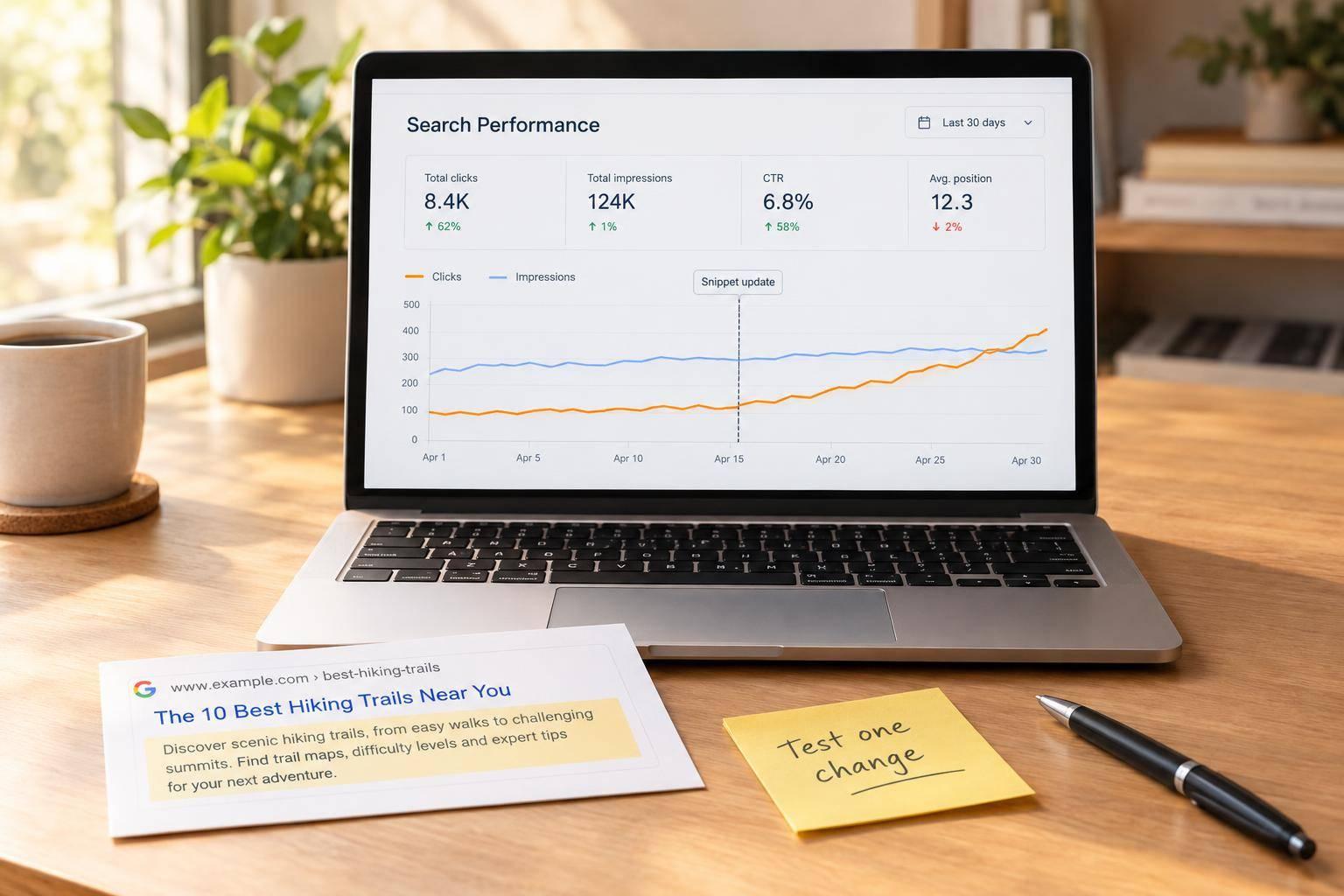
Low CTR doesn’t always mean your title needs work. I start with pages that get plenty of impressions, then check whether rankings fell before changing the listing.
· · 8 min read
On this page
Low CTR doesn’t always mean your title needs work. I start with pages that get plenty of impressions, then check whether rankings fell before changing the listing.
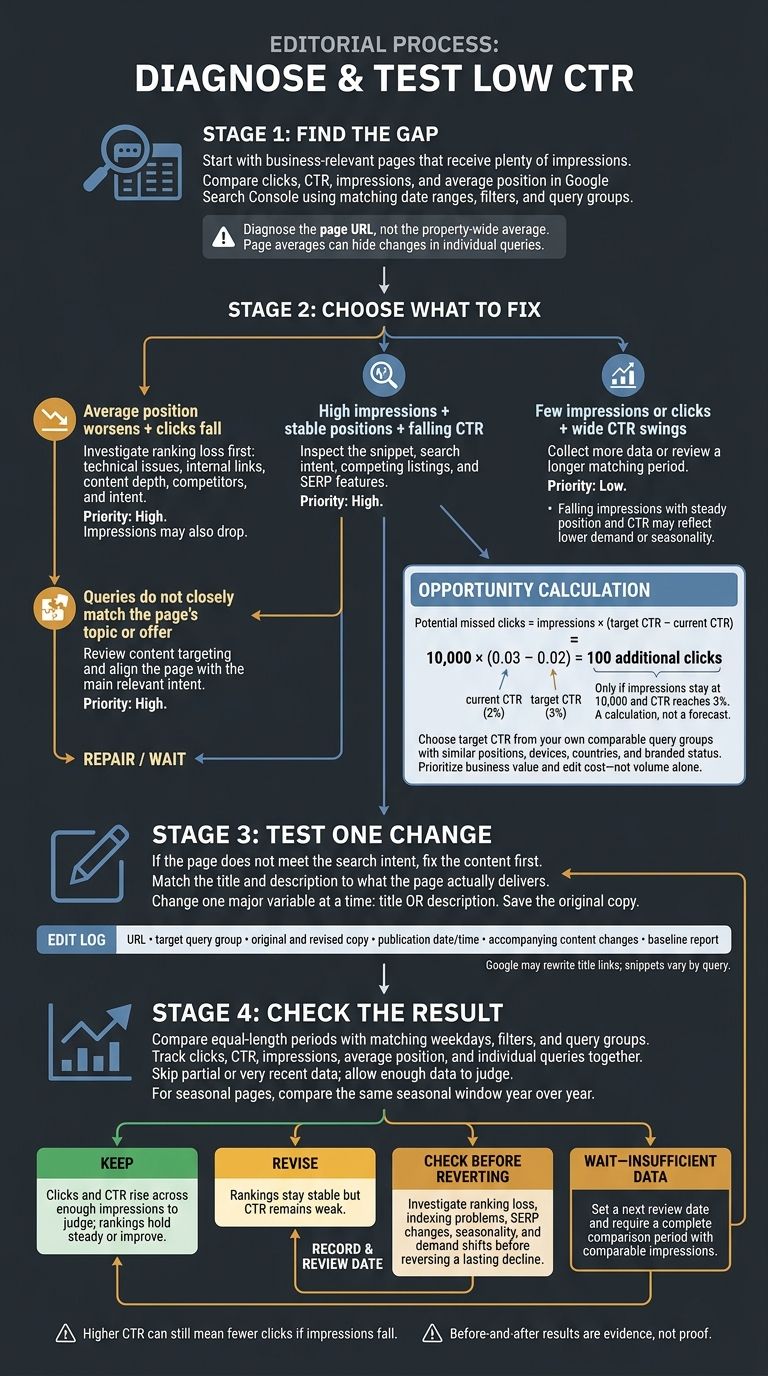
Here’s the process I use:
- Find the gap: Compare clicks, CTR, impressions, and rankings in Google Search Console using matching periods and filters.
- Choose what to fix: Separate ranking losses and poorly matched searches from title or description problems.
- Test one change: Match the listing to what the page delivers, and save the original copy.
- Check the result: Review the same queries and track clicks - not just CTR - before keeping, revising, or reversing the edit.
The upside? At 10,000 impressions, moving from 2% to 3% CTR would mean 100 more clicks - if impressions stay the same. I use that estimate to choose where to start, not as a promise.
2. Diagnose Low CTR and Prioritize Pages
Compare Queries and Rankings Across Matching Periods
For each shortlisted URL, compare matching date ranges in the Queries tab. Note which searches lost clicks or dropped in average position.
A page average can hide losses in high-value queries alongside gains in unrelated searches. Page-level position reflects that URL’s highest-ranking result. Property-level position can reflect another URL from your site. Diagnose the page URL, not the property-wide average. This helps you separate listing problems from intent mismatches and ranking losses.
If query rankings stay steady but CTR falls, check the snippet, search intent, and SERP layout rather than treating it as a ranking problem. Inspect the results for those queries, including competing listings and SERP features.
If average position drops, investigate ranking loss first. If impressions fall while position and CTR stay steady, lower demand or seasonality may explain the change.
Use a Table to Choose the Next Action
Match the signals to the next step:
| Issue | Observable Search Console signals | Likely interpretation | Next action | Priority |
|---|---|---|---|---|
| CTR issue | High impressions, stable positions, falling CTR | The listing may be less appealing or less aligned with intent | Inspect results for the affected query group and test clearer titles and descriptions | High |
| Ranking decline | Average position worsens and clicks fall; impressions may also drop | Lost visibility is reducing clicks | Check technical issues, internal links, content depth, competitors, and intent before testing snippets | High |
| Intent mismatch | Queries do not closely match the page’s topic or offer | The page appears for searches it does not satisfy, or the listing does not communicate the right benefit | Review content targeting and align the page with the main relevant intent | High |
| Insufficient data | Few impressions or clicks; wide CTR swings | The apparent change may be noise | Collect more data or review a longer matching period | Low |
A problem limited to mobile searches needs a different diagnosis than a broad ranking decline. Title and description edits still affect the whole page. Protect its main relevant intent instead of reshaping it around a small, unrelated query group.
Estimate Potential Click Gains
Calculate potential missed clicks = impressions × (target CTR − current CTR). Use decimal CTR values and choose a target from your own comparable query groups with similar positions, devices, countries, and branded status.
This is a calculation, not a forecast: 10,000 × (0.03 − 0.02) = 100 additional clicks only if impressions stay flat and CTR reaches 3%.
Prioritize opportunities by business value and edit cost. A relevant page that supports purchases or leads may deserve attention before a higher-volume page that attracts poorly matched searches.
Record the affected queries, estimated click gap, business value, proposed change, and owner. Keep snippet tests separate from pages that need a larger content or ranking review. Rewrite titles and descriptions only where the listing is the issue.
3. Improve Titles, Descriptions, and Search Intent Match
Match Titles to the Main Search Intent
For each prioritized page, group high-impression queries by task: learn, compare, buy, book, or find local help. If the page doesn’t meet that need, fix the content before rewriting the title.
Put the main topic first. Then add one relevant detail, such as location, audience, format, or service type. Keep each title concise, different from other page titles, and aligned with the H1 and body. Skip repeated keywords and promises the page can’t support. Google may rewrite title links, so treat the HTML <title> as a strong signal - not a guarantee.
Use that same query group to draft the meta description.
Match Meta Descriptions to Page Content
Write a meta description that reflects what the page delivers, using wording that fits the query group. Lead with the most useful detail and focus on clarity and intent. Snippets vary by query and may be shortened on any device.
Choose a page-specific summary rather than a keyword list or generic sales pitch. Log the final copy before publishing.
Check and Record Each Edit
Before publishing, record the URL, target query group, original and revised copy, publication date and time, and any content changes made alongside the edit.
Link the edit log to the baseline report you’ll use for comparison, and keep it with the baseline metrics for the next review. Change one major variable at a time so later CTR changes are easier to attribute. Save the original version so you can roll back the edit.
4. Measure CTR and Clicks After Editing
Compare Matching Before-and-After Periods
For each edited page, use your baseline report and edit log to track changes. Open Performance → Search results and compare equal-length periods with matching weekdays. Keep the baseline’s filters and query groups the same. Record the edit date, then allow time for new data before judging the results. Skip partial or very recent data, and remember that Search Console dates use Pacific Time.
Compare impressions, clicks, CTR, average position, and leading queries before and after the edit. Note any promotions, outages, content changes, or Google updates that could affect either period. For seasonal pages, compare the same seasonal window year over year - not just against the previous month.
Review Clicks, CTR, and Rankings Together
Read CTR alongside clicks and rankings. Look for gains in clicks and CTR while impressions and positions stay similar. Then check individual queries. A steady page-level average position can hide ranking changes or a shift in query mix. Even a higher CTR can mean fewer clicks if impressions drop.
Use the table to turn your results into an action. Enter full date ranges and replace the bracketed query labels with the exact labels from your baseline.
| URL/query group | Baseline period | Test period | Impressions (before → after) | Clicks (before → after) | CTR (before → after) | Average position (before → after) | Decision |
|---|---|---|---|---|---|---|---|
| Edited URL: all queries | - | - | - | - | - | - | - |
| Edited URL: [baseline query label 1] | - | - | - | - | - | - | - |
| Edited URL: [baseline query label 2] | - | - | - | - | - | - | - |
Decide Whether to Keep, Revise, or Revert
Use the comparison to judge whether the snippet change worked. Keep the edit when clicks and CTR increase across enough impressions to judge, with rankings holding steady or improving. Revise the message when rankings stay stable but CTR remains weak. Before reverting a lasting decline, check for ranking losses, indexing problems, search-feature changes, seasonality, and shifts in demand. Before-and-after results are evidence, not proof.
Choose wait - insufficient data when impressions or clicks are too sparse to judge. Set a specific next review date and require a complete comparison period with comparable impressions. Record both the decision and the next review date in your edit log.
How to Effectively Monitor Google Search Console CTR
5. Conclusion: Find, Fix, and Measure
Start with top-performing pages that have stable rankings and the most room to gain clicks. Estimate that upside with impressions × (target CTR − current CTR). Treat the result as an estimate, not a guaranteed gain. Then work on the snippet.
Write titles and descriptions that match the page’s actual intent and content. Measure clicks alongside CTR, comparing the same queries over matching time frames. Use impressions and rankings to put the results in context.
Choose one business-relevant page with stable rankings. Save the previous 28 days of data, the top queries, and the original listing text. Test one change to either the title or description, then set a review date that allows for an equal-length comparison period with enough data to judge the results.
FAQs
What is a good CTR for my ranking position?
There’s no single “good” click-through rate (CTR). Your ranking position sets the benchmark. Typical first-page CTRs are about 30% for position 1, 10% for position 3, and 6% for position 5.
If your page ranks in the top five but its CTR falls well below the benchmark for its position, your listing isn’t turning enough impressions into clicks. Rewrite your title tags and meta descriptions to highlight specific advantages, numbers, or years.
How much data do I need to judge a CTR test?
Use at least three months of Google Search Console data to separate daily ups and downs from trends that last.
To check whether a fix worked, compare equal-length periods, such as 28 days before and after the change. Start both periods on the same weekday to account for weekly traffic patterns, and factor in seasonality. Judge lasting improvement by these comparable periods - not a single day.
Why isn’t Google showing my updated title or description?
Google may display different text from your page if it thinks that text better matches the user’s search intent. Clear titles and meta descriptions that match search intent can help shape what appears, but Google makes the final call.
Also, check that your page is indexed correctly and isn’t blocked by robots.txt. Technical indexing issues can keep your latest updates from appearing in search results.